
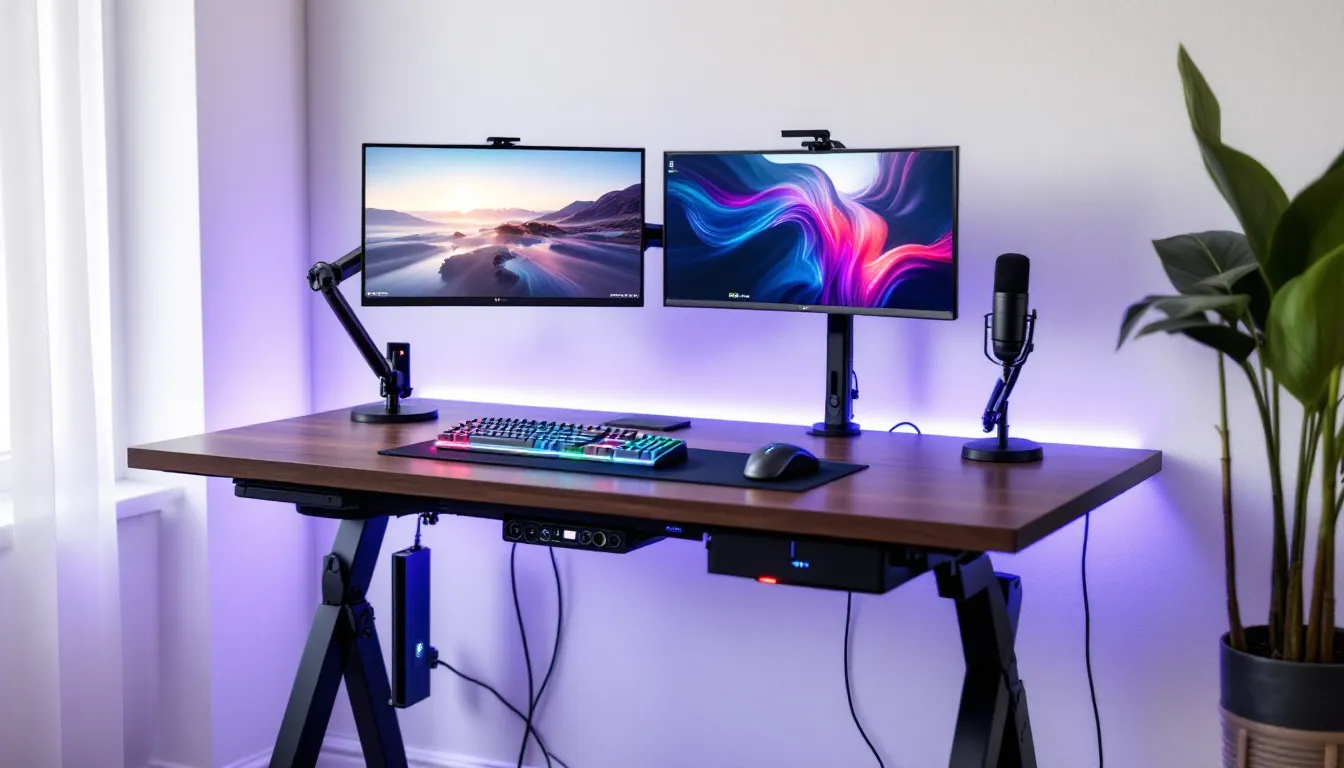
You’ve upgraded your GPU, invested in a 240Hz monitor, and dialed in your sensitivity settings, but you’re still gaming on a wobbly desk you bought in college. Your table of ultimate gaming deserves better than that. The right gaming table isn’t just furniture: it’s the foundation of your entire setup, affecting everything from posture and cable management to how cleanly you can swipe your mouse during clutch moments.
In 2026, gaming tables have evolved far beyond simple flat surfaces. They’re engineered platforms designed to support multi-monitor arrays, house streaming equipment, manage RGB ecosystems, and withstand the rage-quit desk slams we all pretend we don’t do. Whether you’re a competitive FPS player who needs every millimeter of mouse space or a board game enthusiast looking for the perfect tabletop surface, finding the ultimate gaming table requires understanding what separates a genuinely great piece of gaming furniture from overpriced marketing hype.
This guide breaks down everything you need to know: the features that actually matter, how to choose the right table for your specific setup, and how to configure it for maximum performance. No fluff, just practical advice from someone who’s tested more gaming desks than any sane person should.
Key Takeaways
- A true ultimate gaming table prioritizes stability, adequate surface space (minimum 120cm width), and proper ergonomic height—the foundation that affects posture, performance, and cable management.
- Gaming tables differ fundamentally from office desks in depth (75-80cm), frame construction, and accessory compatibility, making them essential for multi-monitor setups and dynamic gaming stress.
- Different gaming styles require different table types: PC gamers need maximum mouse space, console gamers benefit from TV stand integration, while tabletop enthusiasts require specialized recessed surfaces and storage.
- The ultimate gaming table setup demands proper monitor placement (60-100cm viewing distance), organized peripheral positioning, and strategic bias lighting to reduce eye strain during extended sessions.
- Mid-range gaming tables ($200-$500) deliver the best value with solid construction and genuine features, while premium options ($500+) justify higher costs only for serious gamers logging 20+ weekly hours.
- Regular maintenance—quarterly bolt checks, monthly cleaning, and cable reorganization—extends any gaming table’s lifespan and maintains performance far beyond expectations.
What Makes a Gaming Table “Ultimate”?
The term “ultimate gaming table” gets thrown around a lot, usually by marketing teams who think adding LED strips to particleboard qualifies. Reality check: an ultimate gaming table needs to deliver on function first, aesthetics second.
A truly ultimate gaming table handles the physical demands of modern gaming setups without compromising on ergonomics or durability. It’s the difference between a table that supports your gaming and one that actively improves it. That means stable construction that doesn’t flex when you lean forward during intense moments, sufficient surface area for your peripherals and displays, and smart design features that keep your setup organized rather than turning into a cable nightmare.
Essential Features Every Gaming Table Should Have
Let’s cut through the noise. Here’s what your gaming table absolutely needs:
- Rock-solid stability: Zero wobble, even with multiple monitors mounted. A shaky table throws off aim and creates micro-movements that can cost you matches.
- Adequate surface space: Minimum 120cm width for serious gaming. Competitive players often need 140-160cm to accommodate large mousepads and full arm movements.
- Proper depth: At least 60cm deep to position monitors at the correct viewing distance without them hanging off the edge.
- Weight capacity: Should handle 100kg+ to support multi-monitor setups, PC towers (if desk-mounted), and streaming equipment.
- Cable management infrastructure: Built-in grommets, trays, or channels. This isn’t optional, cable chaos kills the aesthetic and makes troubleshooting a nightmare.
- Smooth, consistent surface: Your mouse needs to glide predictably. Textured or uneven surfaces introduce inconsistency.
These aren’t nice-to-haves. They’re the baseline for any table that deserves the “gaming” label.
How Gaming Tables Differ from Regular Desks
Your average office desk was designed for typing documents and holding a monitor. Gaming tables are built for entirely different use cases and stress patterns.
First, the depth and width requirements differ significantly. Standard office desks typically measure 70-75cm deep, which forces monitors too close for comfortable gaming. Gaming tables push that to 75-80cm, allowing proper screen distance while leaving space for keyboards, controllers, and other gear.
The construction philosophy differs too. Office desks prioritize cost efficiency and basic stability for static loads. Gaming tables need to handle dynamic stress, the constant micro-movements from mouse flicks, keyboard actuation, and yes, the occasional frustrated thump. That requires sturdier frame construction, often with steel rather than hollow aluminum, and thicker desktop materials.
Then there’s the ecosystem integration. Gaming tables are designed to work with monitor arms, cable management accessories, headset hangers, and RGB controllers. Try mounting a dual-monitor arm to a flimsy office desk and you’ll understand the difference real quick. The clamping points, reinforced edges, and accessory compatibility make gaming tables fundamentally different products, not just regular desks with flashy marketing.
Types of Gaming Tables for Different Gaming Setups
Not all gaming happens the same way, and your table needs to match how you actually play. A hardcore sim racer has completely different requirements than someone who hosts weekly D&D sessions.
PC Gaming Tables
PC gaming tables are the most common category, and they vary wildly in design philosophy. The defining characteristic is space optimization for keyboard, mouse, and monitor setups.
Typical PC gaming tables feature:
- Wide surface areas: 120-180cm width to accommodate ultrawide monitors or multi-display arrays
- Keyboard trays or elevated sections: Some models include slight lips or recessed areas to position keyboards at optimal typing height
- Monitor stand platforms: Raised sections that bring screens to proper eye level without requiring separate stands
- Side-mounted PC holders: Brackets or shelves to get tower cases off the floor without consuming desk space
The best PC gaming tables prioritize mouse space above all else. Low-sensitivity FPS players can require 40-50cm of horizontal space for full mouse sweeps. If you play tactical shooters or arena FPS games competitively, this isn’t negotiable.
Console Gaming Tables
Console gamers get overlooked in the gaming table market, but their needs are distinct. Console gaming tables typically sit lower and accommodate TV viewing distances rather than monitor proximity.
Key characteristics include:
- TV stand integration: Wide platforms (140-200cm) designed for large displays
- Controller charging stations: Built-in USB hubs or dedicated charging docks
- Console ventilation: Open shelving or ventilated surfaces to prevent overheating
- Couch-friendly height: Often 10-15cm lower than PC desks to work with seated-back posture rather than forward-leaning
Many console tables double as media centers, which makes sense given the living room positioning. Just ensure any table you consider has proper ventilation, PS5s and Xbox Series X consoles generate serious heat, and enclosed spaces throttle performance.
Multi-Purpose Gaming Tables
The hybrid approach works surprisingly well if you game across multiple platforms or share space with non-gaming activities.
Multi-purpose gaming tables balance:
- Modular configurations: Removable sections or adjustable layouts to switch between PC and console setups
- Clean aesthetics: Less aggressive “gamer” styling, making them suitable for home offices or shared spaces
- Flexible mounting options: Compatible with both monitor arms and TV mounts
- Storage versatility: Drawers and shelves that work for gaming gear or general office supplies
These tables won’t maximize any single use case, but they’re perfect for people who WFH during the day and game at night, or those who don’t want their entire room to scream “gaming cave.”
Tabletop and Board Gaming Tables
A completely different beast. Tabletop gaming tables prioritize surface area, accessibility from all sides, and often include specialized features that make zero sense for digital gaming.
Look for:
- Recessed play surfaces: Sunken centers (5-10cm deep) that prevent dice rolls from escaping and protect game states
- Removable toppers: Flat surfaces that convert the table to standard dining or work use
- Padded surfaces: Neoprene or felt playing areas that protect cards and miniatures
- Storage drawers: Integrated compartments for rulebooks, dice, and game components
- Seating capacity design: Typically square or rectangular to accommodate 4-8 players comfortably
If you’re into tabletop RPGs, wargaming, or board games, these specialized tables deliver features that generic gaming desks can’t touch. Many manufacturers now offer tables that work for both tabletop gaming and casual PC use, though they’re compromises on both fronts.
Key Factors to Consider When Choosing Your Gaming Table
Choosing the right table requires matching specifications to your actual gaming habits and physical space. Here’s where people usually mess up.
Size and Space Requirements
Measure your room before you fall in love with a table. Seriously. The number of people who buy 180cm desks for 200cm rooms is embarrassing.
Calculate your available space with this formula:
- Width: Room width minus 80-100cm (allowing 40-50cm clearance on each side for chair movement and access)
- Depth: Should leave at least 100cm between the desk and the wall/furniture behind your chair
- Height: Measure from floor to your elbow when seated with shoulders relaxed
For surface area, match to your peripherals:
- Single monitor + standard peripherals: 120cm x 60cm minimum
- Dual monitors or ultrawide: 140cm x 70cm minimum
- Triple monitor setups: 160-180cm x 75cm minimum
- Streaming setup with dual PC: 180cm+ x 80cm
Don’t forget vertical space. If you’re mounting monitors on arms, you need clearance above the desk. If your room has low ceilings or overhead shelving, measure before buying.
Build Quality and Material Selection
This is where cheap tables reveal themselves fast. Material choice directly impacts durability, stability, and surface performance.
Desktop materials ranked:
- Solid wood: Best durability and stability. Heavy, expensive, but lasts decades. Hardwoods like oak or walnut handle weight and abuse better than anything else.
- High-grade particleboard/MDF: Thick (25mm+) engineered wood with proper laminate coating. Affordable and stable if done right. Avoid thin (18mm) particleboard, it sags under load.
- Tempered glass: Looks clean, easy to clean, but shows every fingerprint and provides zero mouse friction variation. Divisive choice.
- Laminated chipboard: Budget option. Works for light setups but flexes under multi-monitor loads. Lifespan of 2-4 years with heavy use.
Frame construction matters more than people realize:
- Steel frames: Superior stability and weight capacity. Look for powder-coated finish to prevent rust.
- Aluminum frames: Lighter but can flex under asymmetric loads. Fine for single-monitor setups.
- Cross-bracing: Diagonal support bars between legs prevent lateral wobble. Non-negotiable for stability.
Professional players overwhelmingly prefer solid construction and stability in their desk setups, often choosing industrial-grade tables over flashy gaming brands.
Ergonomics and Height Adjustability
Bad ergonomics doesn’t just cause discomfort, it degrades performance over time. Your table height directly affects shoulder tension, wrist angle, and posture.
Fixed-height tables: Standard 72-76cm height works for people 165-185cm tall. Outside that range, you’ll need footrests or seat height adjustments to compensate.
Height-adjustable tables: Electric or manual mechanisms allow 60-125cm range, accommodating anyone and enabling standing desk functionality. The catch? Quality adjustable desks cost 2-3x more than fixed-height equivalents.
Proper ergonomic setup requires:
- Elbows at 90° or slightly open when hands rest on keyboard
- Monitor top at or slightly below eye level when looking straight ahead
- Feet flat on floor (or footrest) with thighs parallel to ground
- Wrists in neutral position, not bent up or down during mouse use
If you’re serious about performance, height adjustability isn’t a luxury, it’s insurance against RSI and long-term degradation in aim precision.
Cable Management Solutions
Cable chaos is the silent killer of clean setups. Your table should help you wrangle cables, not just tolerate them.
Effective cable management features:
- Desk grommets: 60-80mm holes with covers for routing cables through the desktop
- Under-desk trays: Wire mesh or solid trays that hold power strips and excess cable length
- Cable channels: J-shaped channels along the back edge that hide horizontal cable runs
- Velcro straps and clips: Integrated mounting points for securing individual cables
Some gaming tables include built-in cable management: others require aftermarket accessories. Budget for cable management accessories (raceways, sleeves, Velcro wraps) when calculating total cost, they typically run $30-60 for a complete solution.
Top Features That Elevate Your Gaming Experience
Core functionality gets you a working setup. These features push it into ultimate territory.
RGB Lighting and Customization Options
RGB on gaming tables walks a fine line between atmospheric immersion and tacky overload. Done right, it enhances the experience without feeling like a 2019 YouTube setup tutorial.
Smart RGB implementation includes:
- Ambient backlighting: Edge-mounted LED strips (typically 5050 or 2835 type) that create a glow behind the desk
- Synchronized ecosystems: RGB that syncs with your keyboard, mouse, and case lighting via software (Razer Chroma, Corsair iCUE, or standalone controllers)
- Adjustable zones: Multiple lighting sections with independent color control
- Bias lighting: Screen-backlight strips that reduce eye strain during long sessions
The functional benefit of desk RGB is bias lighting, it genuinely reduces eye fatigue by increasing ambient light around your monitors. The aesthetic benefit is entirely personal. Just avoid tables with permanently-on rainbow puke effects you can’t disable.
Built-In Storage and Accessories
Storage separates organized setups from cluttered disasters. The best gaming tables integrate storage without sacrificing leg room or surface space.
Useful storage features:
- Drawer units: Side-mounted drawers for peripherals, cables, and accessories. Look for smooth ball-bearing slides, not cheap plastic tracks.
- Headset hangers: Under-desk hooks or side-mounted hangers that keep headsets accessible without consuming desk space
- Controller holders: Brackets or cradles for console controllers, HOTAS setups, or steering wheels
- Cup holders: Recessed or clip-on holders that keep drinks secured and away from expensive hardware
- Mousepad surfaces: Some tables include permanently-attached extended mousepads, though these limit customization
Prioritize storage that doesn’t restrict leg movement. Drawers should mount to sides or corners, not center positions where they’ll constantly bang into your knees.
Monitor Mounts and Display Solutions
Monitor mounting capability might be the single most important feature for multi-display setups. Not all tables support monitor arms equally.
Monitor mounting considerations:
- Edge thickness: Monitor arms require 10-80mm clamp range. Desks with beveled or extra-thick edges (100mm+) won’t work with standard mounts.
- Reinforced clamping zones: Quality gaming tables include metal reinforcement plates at common mounting points to prevent compression damage.
- Grommet-mount compatibility: Alternative mounting through desk holes requires pre-drilled grommets or soft materials you can drill without cracking.
- Weight distribution: The desk needs to handle asymmetric loads, multiple monitors on one side creates torque that can tip poorly-designed tables.
Display technology reviews consistently show that proper monitor positioning improves gaming performance, making mounting solutions a critical part of any ultimate gaming table setup.
Some premium tables include integrated monitor stands with height/tilt adjustment, eliminating the need for separate arms. These work well for fixed configurations but lack the flexibility of arm-mounted displays.
Setting Up Your Ultimate Gaming Table for Maximum Performance
Buying the right table is half the battle. Setting it up correctly determines whether it actually improves your gaming or just looks good in photos.
Optimal Monitor Placement and Viewing Angles
Monitor positioning affects everything from reaction time to eye strain. The science here is settled: follow it.
Single monitor setup:
- Distance: 60-100cm from eyes (varies with screen size, 24″ monitors at 60cm, 32″+ at 90-100cm)
- Height: Top of screen at or slightly below eye level when looking straight ahead
- Tilt: 10-20° backward tilt to match natural downward gaze angle
- Perpendicular positioning: Screen directly in front of you, not angled left or right
Dual monitor setup:
- Primary display: Directly in front, following single-monitor guidelines
- Secondary display: Angled 20-30° inward, slightly offset to dominant side
- Bezel gap: Minimize space between displays to reduce head movement
Triple monitor/ultrawide setups:
- Curved arrangement: Angles each outer display toward your position, typically 30-45° per screen
- Uniform height: All screen tops should align horizontally
- Primary focus: Center monitor for main gaming: sides for situational awareness, chat, or streaming tools
Many gaming enthusiasts reference detailed setup guides for monitor configurations, particularly when dealing with mixed refresh rates or resolution mismatches across displays.
Don’t trust default stand heights, most position screens too low. This forces neck flexion that causes tension over time. Raise monitors using stands, arms, or books if necessary.
Organizing Peripherals and Accessories
Peripheral placement impacts efficiency and comfort more than people realize. Everything should be within easy reach without requiring awkward stretches.
Keyboard positioning:
- 10-15cm from desk edge: Allows wrists to rest on desk pad without hyperextension
- Centered to your body: Not centered to the monitor, center the keyboard to you
- Slight angle acceptable: Many players angle keyboards 5-15° for comfort: test what works
Mouse space allocation:
- Minimum 40cm horizontal space for low-sensitivity players
- Mouse centered to keyboard home row, not monitor center
- Mousepad extends 5-8cm past typical movement range to prevent edge-clipping during flicks
Secondary peripherals:
- Audio interface/mic: Within arm’s reach but outside primary mouse space
- Stream deck/macro pads: Non-dominant hand side, positioned for blind access
- Phone/tablet: Elevated stand on non-mouse side to prevent neck craning
The goal is a clean workspace where everything has a defined position. Muscle memory develops faster when peripherals live in consistent locations.
Creating the Perfect Lighting Environment
Lighting makes or breaks long gaming sessions. Too bright and you get monitor glare: too dark and you get eye strain.
Optimal lighting setup:
- Bias lighting: LED strip behind monitors (6500K color temperature) that matches screen brightness
- Ambient room lighting: Soft, indirect lighting that prevents complete darkness without creating screen reflections
- Adjustable intensity: Smart bulbs or dimmers to match different times of day and game genres
- Position awareness: Lights should never shine directly into your eyes or create reflections on your screen
Avoid these lighting mistakes:
- Windows directly behind monitors (creates backlight that reduces perceived contrast)
- Overhead lights positioned to reflect in screen glass
- RGB overkill that creates distracting color shifts in peripheral vision
- Complete darkness (forces eyes to constantly adjust between bright monitor and dark surroundings)
Your pupils dilate and constrict based on ambient light. Extreme contrast between screen brightness and room darkness causes fatigue. Keep ambient lighting at 20-30% of your screen’s brightness for best results.
Budget Considerations: Finding Value at Every Price Point
Gaming tables range from $100 budget builds to $2000+ premium systems. Knowing what you actually get at each price tier prevents both overspending and buying garbage.
Entry-Level Gaming Tables Under $200
The budget category isn’t hopeless, but it requires careful selection. At this price, you’re making specific compromises, just make sure they’re the right ones.
What $100-200 gets you:
- Simple construction: Particleboard tops with basic metal/wooden legs
- Fixed height: No adjustability mechanisms
- Limited width: Typically 100-120cm
- Minimal accessories: Basic or non-existent cable management
- 1-2 year lifespan: Budget materials degrade faster under daily use
Best value in this range:
- Ikea LAGKAPTEN/ADILS: $70-90, 120x60cm, holds up surprisingly well for light single-monitor setups
- Flash Furniture Gaming Desk: $120-160, includes basic cable tray and cup holder, adequate for console gaming
- Generic Z-shaped desks: $100-140 on Amazon, decent for first setups but expect wobble with monitor arms
What to avoid:
- Glass-top desks under $150 (too thin, too fragile)
- Desks with attached keyboard trays at this price (always wobbly)
- Anything with “carbon fiber texture” (cheap vinyl over particleboard)
Budget tables work fine for casual gaming or starter setups. If you’re competitive or planning a multi-monitor configuration, save up for mid-range.
Mid-Range Options ($200-$500)
This is the sweet spot for most gamers. You get legitimate build quality, useful features, and longevity without paying for premium branding.
What $200-500 delivers:
- Solid construction: Thicker tops (25mm+), steel frames, reinforced corners
- Proper dimensions: 140-160cm width, 70-80cm depth
- Integrated features: Real cable management, monitor mount support, accessory rails
- Better materials: Quality laminate, tempered glass, or entry-level solid wood
- 5+ year lifespan: Can withstand daily gaming abuse
Standout options:
- Secretlab MAGNUS: $399-499, metal construction, excellent cable management, modular ecosystem
- Eureka Ergonomic Gaming Desk: $250-350, RGB options, monitor shelf, solid stability
- ApexDesk Elite: $350-450, electric height adjustment (entry-level standing desk), clean design
- Arozzi Arena: $350-400, massive 160cm surface, waterproof, built-in cable management
This price range gives you everything you need without gimmicks. If your budget allows, this is where to aim.
Premium Gaming Tables ($500+)
Premium territory is where you pay for engineering, materials, and features that genuinely improve the experience, or just for brand names. Know the difference.
What $500-2000+ should provide:
- Exceptional build quality: Solid wood, aircraft-grade aluminum, or premium composites
- Advanced features: Electric height adjustment, programmable presets, motor-driven accessories
- Modular ecosystems: Proprietary accessory systems that integrate seamlessly
- Heavy load capacity: 150-200kg weight ratings
- Lifetime or extended warranties: Manufacturers that stand behind their products
Premium options worth considering:
- Secretlab MAGNUS Pro: $799-999, full metal construction, integrated power/data, wireless charging
- Uplift V2 Gaming Desk: $700-1200, commercial-grade electric standing desk with gaming accessories
- Evodesk Gaming Pro: $800-1400, solid wood tops, advanced cable management, stability unmatched
- Custom woodworking: $1000-3000+, butcher block or hardwood tops on premium frames, totally customized
At this tier, you’re paying for details: vibration dampening, perfectly smooth height adjustment, zero flex under load, premium finishes. These tables last 10-15 years and maintain resale value.
Is premium worth it?
Only if you’re putting in serious hours. If you game 20+ hours weekly, stream professionally, or have multiple high-end setups, premium tables pay for themselves in durability and performance. For casual gaming, mid-range delivers 90% of the experience at half the cost.
DIY vs. Pre-Built Gaming Tables: Which Is Right for You?
The DIY route tempts a lot of gamers, especially those with woodworking skills or specific requirements that commercial tables don’t meet. The decision comes down to budget, time, and desired customization.
DIY Gaming Table Advantages:
- Complete customization: Exact dimensions, materials, and features you want
- Cost savings: Can build premium-quality table for 40-60% of retail cost
- Satisfaction factor: There’s something satisfying about gaming on furniture you built
- Unique designs: No one else has your exact setup
DIY Challenges:
- Time investment: 15-40 hours for a proper build, more if learning as you go
- Tool requirements: Table saw, drill, sanders, clamps, easily $200-500 if you don’t own them
- Skill barrier: Bad cuts and weak joints create wobbly, unstable results
- No warranty: You own any mistakes or future failures
Common DIY approaches:
- Butcher block + metal legs: $150-300, industrial pipe legs or Ikea trestle legs with solid wood top
- Kitchen counter + frame: $200-400, use kitchen countertop material (durable and affordable) on custom or commercial frame
- Full custom build: $300-800+, design and build from scratch using plywood, hardwood, or MDF
Pre-Built Gaming Table Advantages:
- Immediate availability: Order and receive within days
- Proven designs: Engineered for stability and tested under load
- Warranty coverage: 1-5 years depending on manufacturer
- No tool investment: Assemble with basic Allen keys
Pre-Built Challenges:
- Limited customization: Fixed sizes and configurations
- Premium pricing: Paying for manufacturing, shipping, branding
- Assembly quality varies: Some require precise assembly or they wobble
The verdict: DIY makes sense if you have woodworking experience, specific spatial requirements, or want a truly custom piece. Pre-built wins for most gamers who want reliability without time investment. There’s no performance shame in buying a quality commercial table, professional esports players certainly don’t build their own desks.
If you go DIY, prioritize structural integrity over aesthetics. A table that looks amazing but wobbles is worse than a plain table that’s rock-solid. Test weight capacity before committing to a design, especially if you’re planning monitor mounts or heavy equipment.
Maintenance and Care Tips for Long-Term Performance
Even the best gaming tables deteriorate without basic maintenance. Keep yours performing like new with minimal effort.
Regular cleaning routine:
- Weekly surface wipe: Microfiber cloth with water or mild cleaner removes dust and prevents buildup
- Monthly deep clean: Remove peripherals, clean entire surface, vacuum cable management areas
- RGB component cleaning: Dust on LED strips reduces brightness and creates uneven lighting
Surface-specific care:
- Wood/laminate: Use wood-safe cleaners, avoid excessive water, repair scratches with matching touch-up markers
- Tempered glass: Glass cleaner and microfiber, clean undersides for RGB tables to maintain light transmission
- Mousepad surfaces: Follow manufacturer cleaning instructions: most can be spot-cleaned with damp cloth
Structural maintenance:
- Check bolt tension quarterly: Screws and bolts loosen over time from vibration and movement. Retighten with appropriate tools.
- Inspect joints for stress cracks: Particleboard and MDF can crack at stress points. Catch early before failure.
- Lubricate moving parts annually: Standing desk mechanisms benefit from silicone spray on rails and joints
- Monitor weight distribution: Reconfigure if you notice sagging or stress on specific areas
Cable management upkeep:
- Reorganize cables when adding/removing equipment: Don’t just pile new cables on top of existing mess
- Replace damaged Velcro straps and clips: Worn fasteners allow cable sag and tangles
- Label cables: Heat-shrink labels or tape tags prevent “which cable is this?” confusion during troubleshooting
Preventing common damage:
- Use coasters: Even water rings can damage finishes over time
- Avoid sharp impacts: Set hardware down gently: dropped phones and controllers chip laminate and crack glass
- Protect from sunlight: Direct sun exposure fades finishes and warps materials
- Control humidity: Extreme humidity warps wood and swells particleboard
A table of ultimate gaming isn’t a one-time purchase, it’s equipment that requires basic care. Spend 10 minutes monthly on maintenance and your table will serve you for years beyond its expected lifespan. Neglect it and even premium tables fail prematurely.
Conclusion
The table of ultimate gaming that works perfectly for someone else might be completely wrong for you. There’s no universal “best” table, only the best table for your specific gaming style, space constraints, and budget.
If you take nothing else from this guide, remember these priorities: stability first, ergonomics second, features third. A wobbly table with RGB strips is objectively worse than a solid table with no lighting. A fixed-height desk that fits your body perfectly beats an adjustable desk set to the wrong height.
Start with your actual requirements. Measure your space. Calculate your monitor and peripheral dimensions. Be honest about your budget. Then find the table that checks those boxes without paying for features you’ll never use.
Your gaming table is the foundation of your entire setup. It affects your posture, your performance, and how much you actually enjoy those marathon sessions. Choose wisely, set it up correctly, and maintain it properly. Everything else, the RGB, the aesthetic, the brand name, is secondary to those fundamentals.
Now go fix that setup.


