
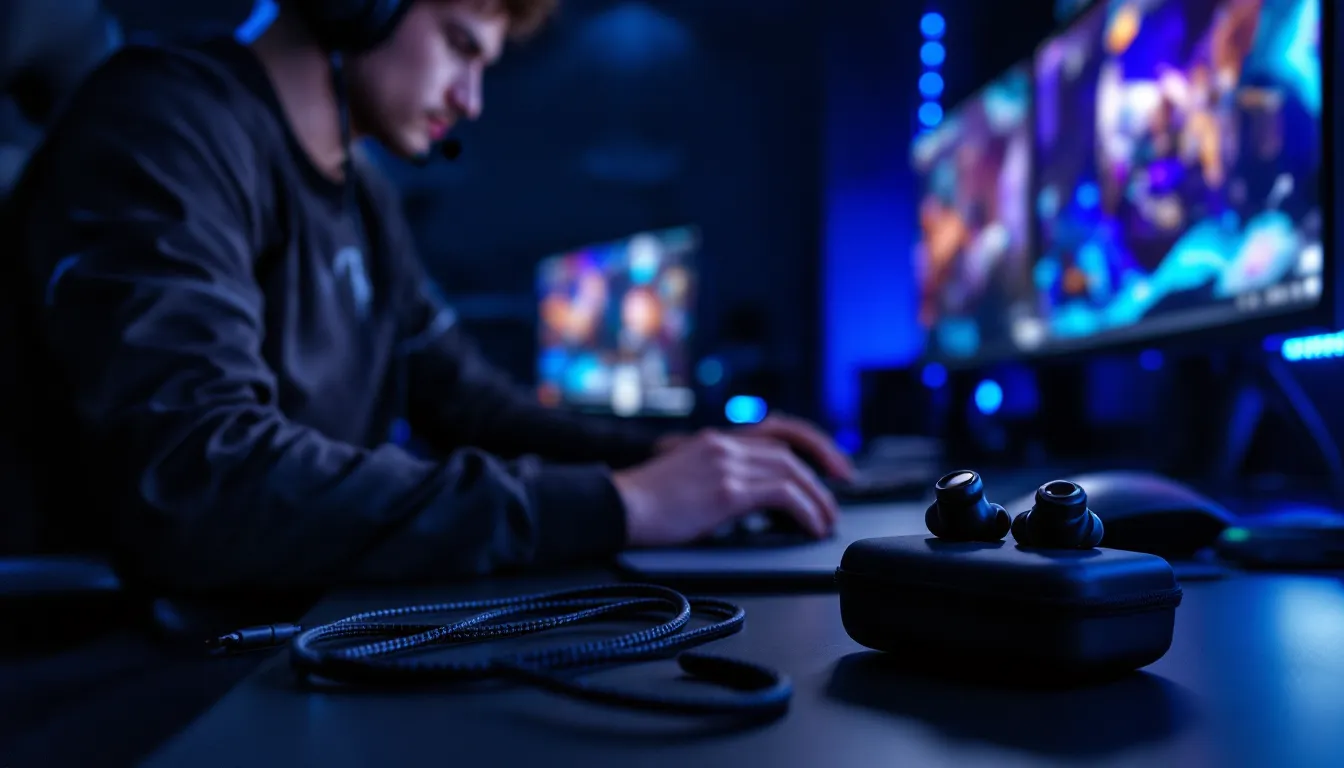
Pro esports players have been ditching bulky headsets for compact IEMs at major tournaments for years now. If you’ve watched any CS2 or Valorant championship, you’ve probably noticed competitors wearing earbuds under noise-canceling earmuffs. That’s not just a quirky preference, it’s a strategic choice driven by sound clarity, portability, and comfort during marathon gaming sessions.
Gaming IEMs with integrated mics have evolved dramatically since 2024, with manufacturers finally nailing the balance between audiophile-grade sound and practical gaming features. The options in 2026 range from budget-friendly dual-driver setups to premium hybrid configurations that rival dedicated studio monitors. Whether you’re grinding ranked matches, streaming for hours, or just want superior audio without the headset hair, this guide breaks down everything you need to know about choosing and using gaming IEMs with mic functionality.
Key Takeaways
- Gaming IEMs with mic functionality offer superior detail retrieval, portability, and comfort compared to traditional gaming headsets, making them ideal for competitive players and portable gaming across PC, console, and handheld devices.
- Modern gaming IEMs with mic technology now feature MEMS microphones, dual-array noise suppression, and detachable cables—closing the gap with dedicated boom mics while maintaining the compact form factor pro esports players rely on.
- The sweet spot for quality gaming IEMs starts around $80–120, with options like the TRUTHEAR x Crinacle ZERO: RED offering exceptional imaging and dual-MEMS mic systems that perform admirably for Discord and team communication.
- Proper fit is critical for gaming IEM performance; using foam tips, experimenting with insertion depth, and selecting the correct tip size directly impact audio isolation, positional accuracy, and long-session comfort.
- Gaming IEMs excel in competitive shooters when EQ is optimized to emphasize footstep frequencies (2–4kHz) and eliminate sub-bass mud, giving players precise directional awareness without artificial enhancements that degrade imaging.
- Maintenance matters significantly—regular cleaning of ear tips, protection from moisture and sweat, careful handling of detachable connectors, and proper cable management directly extend IEM lifespan and preserve audio quality over time.
What Are Gaming IEMs and Why Choose Them Over Headsets?
Gaming IEMs (in-ear monitors) are essentially high-fidelity earbuds designed with precise audio reproduction in mind. Originally developed for stage musicians who needed accurate sound monitoring during live performances, IEMs have crossed over into gaming because that same precision translates beautifully to hearing enemy footsteps, ability cues, and positional audio.
Unlike consumer earbuds that boost bass artificially or gaming headsets tuned with exaggerated profiles, IEMs typically aim for balanced, accurate sound signatures. When paired with a quality microphone, either inline or via detachable boom, they become surprisingly effective gaming tools.
The Advantages of IEMs for Gaming
The compact form factor is the most obvious benefit. IEMs weigh a fraction of what gaming headsets do, eliminating the neck strain and pressure points that plague long sessions. Competitive players particularly appreciate how they don’t interfere with glasses, hats, or webcam framing during streams.
Sound isolation is another major win. Good IEMs with proper ear tips create a passive seal that blocks external noise far better than most closed-back headsets. This means you’re hearing pure game audio without needing to crank volume to dangerous levels, and you’re not disturbing roommates or family with sound leakage.
The imaging and soundstage on quality IEMs often surpass gaming headsets in the same price bracket. Because drivers sit millimeters from your eardrum, they can deliver incredibly detailed positional cues. In games like Escape From Tarkov or Rainbow Six Siege, that translates to pinpoint directional awareness, you’ll know exactly which floor an enemy is on or whether they’re rotating left or right.
Portability makes IEMs ideal for LAN events, gaming cafes, or anyone who games on Switch or Steam Deck. Tossing a pair of IEMs in a case takes up virtually no space compared to packing a full-size headset.
IEMs vs. Traditional Gaming Headsets: Key Differences
Headsets still have their place, but understanding the tradeoffs helps clarify when IEMs make sense. Gaming headsets generally offer larger soundstages due to the physical distance between drivers and ears, which some players prefer for immersive single-player experiences. They also tend to have more robust, purpose-built boom mics with better noise cancellation and clearer voice pickup.
IEMs sacrifice some of that soundstage width but compensate with superior detail retrieval and accuracy. The inline mics on most gaming IEMs won’t match a dedicated boom mic in raw quality, though 2026 models have closed the gap significantly with MEMS technology and dual-microphone noise reduction.
Comfort is subjective. Some people can’t stand the sensation of ear tips inserted in their canals, while others find headset clamp force and ear cup heat unbearable after an hour. If you’ve never used IEMs for extended periods, there’s a learning curve to finding the right tips and achieving proper fit.
Price-to-performance ratios differ too. Entry-level gaming headsets around $50-70 often deliver serviceable sound and mics. At the same price point, gaming IEMs may offer better audio fidelity but compromise on mic quality or durability. The sweet spot for IEMs starts around $80-120, where you get decent drivers and a usable mic.
Key Features to Look for in Gaming IEMs With Mic
Not all IEMs are created equal, and slapping a mic on an audiophile pair doesn’t automatically make them gaming-ready. Here’s what actually matters when evaluating options.
Sound Signature and Driver Configuration
Driver type is the foundation. Dynamic drivers (single driver per ear) are common in budget and mid-tier IEMs, offering punchy bass and good overall response. Balanced armature (BA) drivers excel at mids and highs, delivering crisp detail, great for hearing subtle audio cues like ability cooldowns or reload sounds. Hybrid configurations combine both types, using dynamic drivers for lows and BA drivers for everything else.
For gaming, a neutral to slightly V-shaped signature works best. You want clear highs for positional cues, present mids for voice chat and dialogue, and controlled bass that doesn’t muddy the mix. Overly bass-heavy IEMs might sound fun for music but will mask important footstep frequencies in competitive shooters.
Impedance and sensitivity matter if you’re plugging directly into controllers, mobile devices, or low-power sources. Look for IEMs under 32 ohms impedance with sensitivity above 100dB/mW, these will get plenty loud without requiring a dedicated amp. Higher-impedance models (50+ ohms) might need additional amplification to reach comfortable volumes.
Microphone Quality and Placement
Inline mics are the most common implementation. The mic module typically sits on the cable around chest level, which works fine for Discord or console party chat but picks up more ambient noise than boom mics. Recent models incorporate dual-microphone arrays with beamforming or AI noise suppression, significantly improving clarity.
MEMS (Micro-Electro-Mechanical Systems) microphones have become standard in premium gaming IEMs as of late 2025. These tiny silicon-based mics offer better frequency response and noise rejection than traditional electret microphones. If you’re serious about voice quality, prioritize IEMs specifying MEMS technology.
Some gaming IEMs use detachable boom mic attachments via 2-pin or MMCX connectors. This hybrid approach gives you audiophile IEMs for music and a gaming-grade mic when needed. The flexibility is worth it if you plan to use one pair for multiple purposes.
Check for inline controls as well, volume adjustment, mic mute, and playback controls save you from alt-tabbing mid-game. Make sure these controls are compatible with your platform: some are iOS-specific or don’t work properly with PC.
Comfort, Fit, and Noise Isolation
You can have the best-sounding IEMs in the world, but if they don’t fit, you won’t wear them. Ear tip variety is crucial, look for brands that include multiple sizes and materials (silicone, foam, or both). Foam tips like Comply or SpinFit models generally provide better isolation and comfort but need replacing every few months.
Nozzle length and diameter affect how deep IEMs sit in your ear canal. Shorter, wider nozzles work better for smaller ears, while longer, narrower ones suit deeper insertion for maximum isolation. Testing different tip combinations is usually necessary to dial in the perfect fit.
Many hardware reviews emphasize weight distribution. IEMs with metal housings look premium but can cause fatigue if poorly balanced. Resin or lightweight aluminum shells tend to disappear during wear.
Cable routing matters for stability. Over-ear designs (where the cable loops over the top of your ear) stay secure during head movements and reduce cable noise. Straight-down cables are fine for stationary gaming but can pull loose if you lean back or turn your head frequently.
Cable Quality and Detachability
Cables are the most common failure point on IEMs. A detachable cable with standard 2-pin or MMCX connectors means you can replace a damaged cable for $15-30 instead of buying new IEMs. It also lets you swap to shorter cables for mobile gaming or longer ones for couch setups.
Cable material affects durability and microphonics (the thumping sound when cables rub against clothing). Braided cables resist tangling and tend to last longer than rubber-coated ones. Newer models use low-friction materials or include cable clips to minimize noise transmission.
Look for reinforced strain relief at connection points, especially where the cable meets the housing and the 3.5mm jack. Cheap IEMs often fail here first after repeated plugging/unplugging or cable flexing.
Top Gaming IEMs With Mic in 2026
The market has matured significantly, with several clear winners across different price tiers. These recommendations reflect current availability and performance as of March 2026.
Best Overall Gaming IEM With Mic
TRUTHEAR x Crinacle ZERO: RED Gaming Edition ($99)
This collaboration between audio measurement authority Crinacle and TRUTHEAR specifically targets gamers with a tuned variant of their popular ZERO: RED model. The single 10mm dynamic driver delivers exceptional imaging for the price, with a neutral-bright signature that emphasizes footstep frequencies (2-6kHz range) without sounding harsh.
The integrated dual-MEMS mic system with environmental noise cancellation performs admirably in Discord and game chat, though it won’t replace a dedicated boom mic for streaming. The included modular cable system offers both standard 3.5mm and USB-C variants, making it compatible with PC, consoles, and mobile devices without adapters.
It ships with seven pairs of ear tips including Final E-type and SpinFit CP100 options. The lightweight resin shells and over-ear cable design make them comfortable for 4+ hour sessions. The only downside is the non-removable mic module, if you want pure IEM mode, you’re stuck with the extra cable weight.
Best Budget-Friendly Option
KZ ZSN Pro X Gaming ($35-45)
KZ has dominated the budget IEM space for years, and their gaming-focused Pro X variant adds a surprisingly capable inline mic to their proven hybrid driver setup. You get one dynamic driver for bass and one BA driver for treble in each ear, plenty of detail for competitive gaming at a fraction of typical gaming headset prices.
The V-shaped tuning is more pronounced than pricier options, with elevated bass that may not suit purists but works well for action games and general entertainment. The detachable cable uses standard 2-pin connectors, so you can upgrade to a better mic cable later if needed.
Build quality is the main compromise. The metal faceplates look nice but the cable feels cheap and tangles easily. Still, at this price point, you can buy two pairs and keep a backup. They’re available on most platforms and work fine with Switch, Steam Deck, and mobile devices without additional amplification.
Best Premium Choice for Audiophiles
Moondrop Blessing 3 + Antlion ModMic Wireless ($320 + $120)
If budget isn’t a constraint and you want the absolute best audio fidelity, pairing dedicated audiophile IEMs with a modular wireless mic is the way to go. The Blessing 3 uses a quad-BA plus dual-dynamic driver configuration that delivers reference-quality sound imaging and detail retrieval that flatters both music and games.
The neutral-with-slight-bass-boost tuning is perfect for competitive play, you’ll hear everything without artificial emphasis. The soundstage is intimate as expected with IEMs, but the layering and separation are exceptional. Footsteps, reloads, and ability sounds occupy distinct audio spaces.
Since the Blessing 3 has no mic, adding the Antlion ModMic Wireless gives you broadcast-quality voice chat without cables running to your IEMs. The magnetic attachment system is surprisingly secure, and the low-latency wireless connection works flawlessly with PC. For console gaming, you’d need the wired ModMic variant instead.
This combo requires some setup, you’re managing two devices, charging the ModMic, and possibly running a USB DAC/amp for optimal IEM performance. But the audio quality eclipses any all-in-one gaming IEM solution.
Best for Competitive Esports
FiiO FH5s Gaming Edition ($259)
FiiO designed the FH5s Gaming specifically for esports athletes, consulting with pro teams to optimize for competitive FPS and MOBA titles. The six-driver hybrid configuration (one dynamic + four BA drivers per side) excels at micro-detail and directional accuracy.
The tuning emphasizes the critical 1-8kHz range where footsteps, gunshots, and ability cues live. Bass is tight and controlled, you get enough weight for immersion without bloat that masks important sounds. Many setup guides recommend this model specifically for Valorant and CS2 due to its surgical imaging.
The included detachable boom mic attachment is legitimately good, using a studio-grade electret capsule with -42dB sensitivity and frequency response optimized for voice (100Hz-10kHz). It’s compatible with standard 0.78mm 2-pin connectors, so you can swap to a mic-free cable when using the FH5s for music.
The machined aluminum shells with semi-custom contours fit securely without additional tip rolling in most cases. FiiO includes their HS18 cable with low microphonics and the option to order balanced 2.5mm or 4.4mm terminations for use with dedicated gaming DAC/amps like the Creative Sound BlasterX G6.
How to Optimize Your Gaming IEMs for Different Game Genres
The same IEMs can perform very differently across game types depending on EQ settings and fit optimization. Here’s how to dial in your setup for specific genres.
FPS and Competitive Shooters
Prioritize positional accuracy over bass impact. If your IEMs have a companion app or you’re using software EQ (like APO Equalizer on PC or console audio settings), reduce sub-bass below 60Hz by 3-4dB. This clears mud from the low end without eliminating environmental sounds.
Boost the 2-4kHz range by 2-3dB to emphasize footstep frequencies in most modern shooters. Games like Call of Duty, Valorant, and Apex Legends place critical positional information in this band. Be careful not to overdo it, excessive upper-mid emphasis causes listening fatigue.
Ensure you’re using the correct audio format. On PC, stick with stereo output rather than virtual surround processing, IEMs don’t benefit from artificial spatializer effects and often sound worse with them. Most pro players disable all enhancements and run pure stereo. Console players should use headphone mode in system settings, not speaker or home theater modes.
Fit matters more for competitive play. Even minor seal breaks degrade bass response and positional cues. Use foam tips or multiple-flange silicone tips for maximum isolation. The deeper insertion provides better channel matching between left and right, which is critical for accurate imaging.
MOBA and Strategy Games
These genres are less demanding on positional audio but require clear voice comms and the ability to hear distinct audio cues (ability cooldowns, last-hit timing, ping sounds) layered over music and effects.
A balanced EQ works best, no need for footstep-focused tuning. If anything, slightly elevate mids (500Hz-2kHz) to make voice chat and character callouts more intelligible during chaotic teamfights.
Mic quality becomes more important in team-based MOBAs. Make sure your inline mic or boom attachment has working noise suppression, and position it consistently about 2-3 inches from your mouth. Test in Discord or your preferred voice app and adjust input sensitivity so teammates don’t hear every mouse click or keyboard press.
Many strategy gamers prefer lower isolation to stay aware of their surroundings during long matches. If your IEMs came with open or semi-open tips, this is where they shine. You maintain audio clarity while still hearing doorbells, phone notifications, or people trying to get your attention.
Horror and Immersive Single-Player Games
This is where IEM characteristics really shine. The intimate soundstage and excellent detail retrieval make horror games genuinely unsettling, every creak, whisper, and distant sound feels uncomfortably close.
For maximum immersion, use deep-insertion foam tips that provide complete isolation from external sound. Games like Resident Evil 4 Remake, Alan Wake 2, or Dead Space benefit from the sealed environment where subtle audio cues build tension.
Boost bass slightly (3-5dB below 80Hz) for visceral impact during jump scares and intense sequences. Unlike competitive play where clarity trumps everything, single-player experiences benefit from that cinematic low-end rumble. Just don’t go overboard, too much bass still masks detail.
Consider enabling spatial audio for these games if they support it well. While generally avoided for competitive play, technologies like Windows Sonic, Dolby Atmos, or Sony’s 3D Audio can enhance cinematic games when used with quality IEMs. Different technology guides cover platform-specific implementations, but test thoroughly, some games carry out spatial processing better than others.
Common Issues With Gaming IEMs and How to Fix Them
Even premium IEMs encounter problems. Here are the most frequent issues and proven fixes.
Microphone Not Working or Low Volume
Platform compatibility is the usual culprit. Many IEMs use CTIA (Cellular Telecommunications Industry Association) or OMTP (Open Mobile Terminal Platform) wiring standards for their 3.5mm TRRS connectors. Most modern devices use CTIA, but some older hardware or regional variants use OMTP. If your mic doesn’t work, try a CTIA-to-OMTP adapter (about $5-8).
On PC, ensure your sound settings recognize the mic input. Right-click the volume icon, select Sound Settings, and verify the correct input device is selected. Many IEM mics appear as separate devices from your default desktop mic.
For low mic volume, check inline controls first, some have tiny volume wheels that accidentally get adjusted. In Windows, navigate to Sound Control Panel > Recording tab > select your IEM mic > Properties > Levels, and boost the microphone level to 80-100%. Enable mic boost if available, though this may introduce background noise.
Console players on PlayStation or Xbox should verify their controller firmware is updated, as older firmware sometimes has issues with certain mic impedances. Some third-party controllers don’t provide adequate power for lower-sensitivity mics.
Poor Fit and Discomfort During Long Sessions
If IEMs hurt after 30-60 minutes, the issue is usually wrong tip size or material. Most people instinctively choose tips that are too large, forcing excessive pressure. Try going down one size, you might be surprised how well smaller tips seal with proper insertion.
Insertion depth significantly affects comfort. For over-ear IEM designs, the cable should loop comfortably over your ear without pulling the housings. If you’re experiencing pressure, you may be inserting too deep. For shallow-fit IEMs, you shouldn’t feel the nozzle touching your inner ear canal, just the tip creating a seal at the entrance.
Switch to foam tips if silicone causes irritation. Comply or Dekoni foam tips compress for easy insertion, then expand to create a gentle seal. They’re more comfortable for most people but need replacing every 2-3 months as the foam degrades.
Driver flex (a crackling sound when inserting IEMs) indicates pressure changes in the sealed ear canal. Inserting more slowly or creating a small vent by slightly pulling one side of the tip during insertion usually fixes this. Some IEM models include pressure-relief vents in the housing specifically to prevent this.
Cable Noise and Microphonics
That annoying thumping sound when cables rub against your clothes is called microphonics, and it’s the bane of IEM users.
Cable clips are the simplest solution. Attach a clip (usually included with better IEMs) to your shirt collar to anchor the cable and prevent movement. This eliminates most transmitted noise.
For over-ear designs, ensure the cable loops properly over the top of your ear with the memory wire (if present) shaped to your ear contour. Proper routing keeps cables away from your neck and collar where they’d otherwise rub.
Upgrade to a low-microphonics cable if the stock cable is particularly bad. Cables with fabric braiding or specialized sheathing materials like TPE generate less noise than rubber or basic PVC. Many aftermarket cables specifically advertise low-microphonics construction.
As a temporary fix, run the cable under your shirt. Route it down your back or through your collar so the cable portion between the IEMs and your body doesn’t move freely. This looks a bit awkward but effectively eliminates the problem.
Tips for Maintaining and Extending the Life of Your Gaming IEMs
IEMs are more delicate than headsets, but proper care extends their lifespan significantly.
Clean ear tips regularly. Earwax buildup is inevitable and can clog acoustic filters or damage drivers. Remove tips weekly and wash them with warm water and mild soap. Let them dry completely before reattaching. For foam tips, gentle compression under running water works, never twist or wring them.
Check and replace acoustic filters if your IEMs have removable mesh screens at the nozzle. These tiny filters protect drivers from debris but can clog over time, reducing volume and clarity. Most manufacturers include spare filters and a small tool for replacement. Mark your calendar to inspect them monthly.
Store properly when not in use. Tossing IEMs into a pocket or bag creates cable stress and tangles. Use a hard-shell case, even cheap ones from Amazon protect against crushing and cable damage. Wrap cables loosely using the over-under method (not tight spirals that create memory kinks).
Avoid moisture exposure. Sweat and humidity are IEM killers. If you game in a warm environment or tend to sweat, wipe down the housings and cable after sessions. Consider IEMs with IPX4 or higher ratings if moisture is a concern. Never store IEMs in sealed cases while still damp, this promotes corrosion.
Handle connectors carefully. For detachable cables, align pins properly before connecting and never force them. When disconnecting, pull from the connector housing, not the cable itself. MMCX connectors are rated for 1,500+ connection cycles, but rough handling can damage them in months.
Cable management matters. Route cables to minimize stress on connection points. Avoid sharp bends near the housing or jack, and never wrap cables too tightly around devices. If you notice cable memory (permanent kinks), you’re wrapping too tight.
Keep firmware updated for IEMs with active features like DSP, Bluetooth, or app-controlled EQ. Manufacturers often release updates that fix bugs or improve performance. Check the brand’s website or app every few months.
Buy spares early. If you find tips or cables that work perfectly, order backups while they’re still available. Manufacturers discontinue accessories surprisingly quickly, and proprietary parts become hard to find.
Are Gaming IEMs With Mic Worth It for You?
The honest answer depends on your specific gaming setup and priorities.
Gaming IEMs make the most sense if you:
- Value portability and game across multiple devices (PC, console, handheld, mobile)
- Find headsets uncomfortable during long sessions or have issues with glasses/headset pressure
- Prioritize audio detail and accurate positional cues over maximum soundstage width
- Already own quality IEMs and want to add mic functionality
- Game in shared spaces where noise isolation is important
- Attend LAN events or gaming cafes regularly
- Want one audio solution for both gaming and music that doesn’t scream “gamer aesthetic”
Stick with traditional headsets if you:
- Need the absolute best microphone quality for streaming or content creation (dedicated boom mics still win)
- Prefer the immersive, spacious soundstage that over-ear designs provide
- Can’t tolerate the sensation of in-ear insertion
- Game primarily at a single desk setup where portability doesn’t matter
- Want plug-and-play simplicity without tip selection or fit optimization
- Need features like wireless connectivity with very low latency (sub-20ms, which most wireless IEMs don’t achieve)
There’s no universal “better” choice. Some competitive players swear by IEMs for their precision: others can’t give up the comfort and familiarity of their favorite headsets. If you’re curious, the entry barrier is low, you can test the waters with a $40-60 pair before committing to premium models.
One increasingly popular option is owning both: headsets for casual play and streaming, IEMs for competitive sessions and portable gaming. The cost of entry-level versions of each is comparable to one high-end headset, and you get flexibility for different use cases.
Conclusion
Gaming IEMs with mics occupy a niche that’s grown considerably since esports pros demonstrated their viability. The 2026 market offers legitimately compelling options across all price ranges, with manufacturers finally understanding that gamers need more than just good sound, they need practical features like detachable cables, quality mics, and durable construction.
The learning curve is real. Finding the right tips, achieving proper fit, and adapting to the intimate soundstage takes experimentation. But once you dial everything in, the combination of detail retrieval, portability, and comfort creates a gaming audio experience that many players never want to give up.
Whether you’re upgrading from budget earbuds, exploring alternatives to bulky headsets, or building a competitive setup, the options outlined here provide solid starting points. Test thoroughly, be patient with the fit process, and don’t be afraid to swap tips or cables until you find your perfect configuration. The payoff in audio clarity and long-session comfort is worth the effort.