
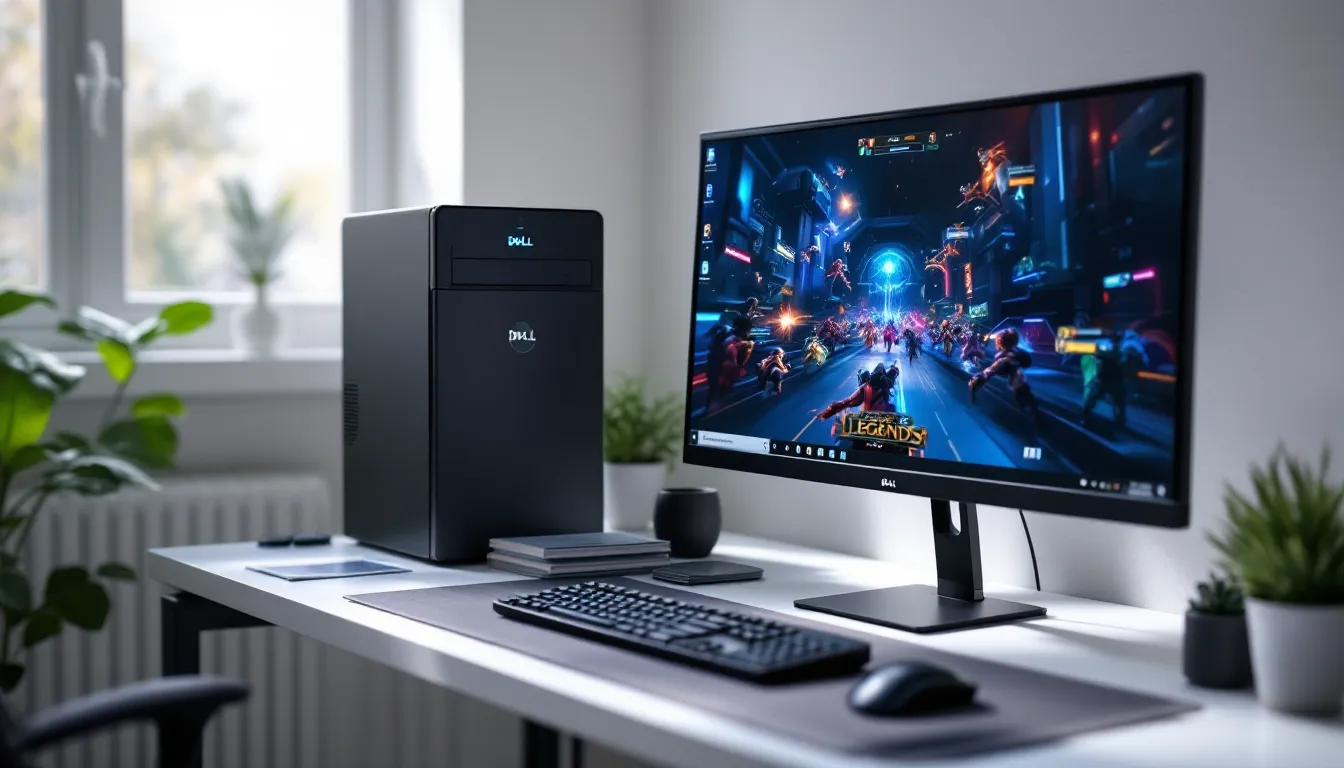
Gaming PCs don’t have to cost four figures. In 2026, the used and refurbished market offers legitimate entry points for players who need to squeeze every dollar, and a $100 pre-built can get you into games, just not the ones dominating Steam’s front page at max settings.
This isn’t about building a rig that crushes Cyberpunk 2077 at 4K. It’s about finding a functional system that handles competitive esports titles, indie darlings, and older AAA games at playable frame rates. That’s a realistic target if you know where to look and what compromises to accept.
The catch? You’ll be hunting refurbished business desktops, not flashy gaming towers. You’ll be tweaking settings and managing expectations. But if the goal is to play League of Legends, CS2, Valorant, or thousands of indie gems without very costly, a $100 pre-built can absolutely deliver. Here’s how to find one, what specs matter, and which games will actually run.
Key Takeaways
- A $100 pre-built gaming PC is practical for esports titles like League of Legends, CS2, and Valorant, plus thousands of indie games, but won’t handle modern AAA games at high settings.
- Refurbished business desktops (Dell Optiplex, HP EliteDesk, Lenovo ThinkCentre) with Intel Core i5 3rd-4th gen CPUs and 8GB RAM are your best bets for budget gaming systems.
- Search for $100 pre-built PCs on eBay, Facebook Marketplace, and local thrift stores like Goodwill Computer Works, where you’ll find tower models rather than space-constrained SFF cases.
- Essential specs to target include a Core i5 processor, 8GB DDR3 RAM, and at least 500GB storage; integrated graphics suffice for esports games, though a used GT 1030 GPU can double performance.
- Upgrade your $100 PC over time by adding RAM ($15–$25), swapping the HDD for a $20–$25 SSD, or installing a low-profile graphics card like the GT 1030 ($70–$90) without needing a PSU upgrade.
- Avoid red flags like missing power cables, untested listings, proprietary PSU connectors in SFF cases, and hidden costs like shipping and Windows licenses that can push your total budget beyond $100.
Understanding the $100 Gaming PC Reality
What to Expect at This Price Point
A $100 gaming PC isn’t going to win any benchmark wars. It’s a system built around older hardware, typically Intel 2nd to 4th gen Core processors or AMD equivalents, paired with integrated graphics or entry-level dedicated GPUs if you’re lucky.
Expect 720p to 1080p gaming at low to medium settings for most titles. Frame rates will hover around 30-60 FPS in esports games and lighter indies, but modern AAA titles from 2023 onward are largely off the table unless you’re willing to drop resolution and settings to bare minimums.
Storage will be limited, often a 250GB to 500GB HDD, and RAM typically sits at 4GB to 8GB. These machines won’t multitask well, and you’ll need to be selective about background processes. But for a single game running at a time, they’re functional.
The real advantage? You’re buying a complete system. No assembly, no compatibility headaches, and no need to source individual parts. It’s plug-and-play, assuming the seller kept it in working order.
New vs. Refurbished: Where Your Money Goes
At $100, forget about new hardware. You’re exclusively in refurbished territory, and that’s actually where the value lives.
Refurbished business desktops, Dell Optiplexes, HP EliteDesks, Lenovo ThinkCentres, flood the used market as companies cycle out old office machines. These were built for reliability, not performance, but their CPU and RAM configurations are often solid enough for light gaming.
New systems at this price point don’t exist outside of extremely low-powered Chromebooks or bare-bones mini PCs with mobile processors that can’t handle real games. Refurbished gives you access to desktop-class CPUs and upgrade paths that budget new systems simply can’t match.
The trade-off is age. Most $100 refurbs are 8-12 years old, meaning older ports (VGA instead of HDMI in some cases), potential wear on components, and no manufacturer warranty. You’re betting on the longevity of hardware that’s already lived a full office life.
But here’s the upside: these machines were often over-engineered for basic tasks. A Core i5-3470 was overkill for Excel in 2013, but it’s still viable for esports in 2026.
Where to Find $100 Pre-Built Gaming PCs
Best Online Marketplaces and Retailers
eBay is the most reliable hunting ground. Search for “Dell Optiplex i5” or “HP EliteDesk refurbished” and filter by price. Listings fluctuate, but machines in the $80-$120 range with Core i5 or Ryzen 3 CPUs appear regularly.
Facebook Marketplace offers local pickup options, which saves on shipping and lets you test the system before handing over cash. Prices tend to be lower than eBay since sellers avoid platform fees, but listings are less consistent.
Mercari and OfferUp are secondary options. Both have growing tech sections, and negotiations are often easier than eBay’s fixed-price listings. Watch for bundled peripherals, monitors, keyboards, and mice can add value without inflating the base price.
Woot and Newegg occasionally run refurbished desktop sales, though hitting exactly $100 requires timing and luck. These retailers offer better return policies than peer-to-peer marketplaces, which matters when buying used hardware.
Local Options: Thrift Stores, Pawn Shops, and Classifieds
Goodwill Computer Works and similar thrift tech stores stock donated office PCs, often priced based on cosmetic condition rather than specs. A scratched-up Optiplex with an i5-4570 might sell for $50 because it looks rough, even if it runs perfectly.
Pawn shops rarely know what they have. A desktop sitting in the corner with a “$75” sticker might house a perfectly capable i3 or Ryzen 3. Bring a USB drive with a bootable Linux distro to test hardware on the spot if they’ll allow it.
Craigslist still exists, and it’s where older gamers offload systems they’ve upgraded from. Search terms like “gaming PC cheap” or “office computer” yield results, and haggling is expected. Meet in public, test before buying, and don’t hand over cash until you’ve seen it boot.
University surplus stores are underrated. Colleges refresh lab equipment every few years, and their surplus sales include decommissioned desktops at dirt-cheap prices. Timing matters, sales happen quarterly or annually, but the hardware is often well-maintained.
Refurbished Business Computers as Gaming Platforms
Business desktops weren’t designed for gaming, but their specs overlap with low-end gaming requirements more than you’d expect.
The Dell Optiplex line dominates this space. Models like the 3010, 7010, and 9010 (all using 3rd gen Intel Core) are abundant, cheap, and have standard ATX or Micro-ATX layouts that accept low-profile GPUs. Power supplies are weak, usually 240W to 300W, but sufficient for integrated graphics or a GT 1030.
The HP EliteDesk 800 series offers similar specs with slightly better build quality. The small form factor (SFF) versions are common but limit GPU upgrade options due to size constraints. Tower versions are rarer but worth hunting for.
Lenovo ThinkCentres (M73, M83, M93) round out the trio. These are tank-like machines with excellent cooling and quiet operation, though proprietary PSU connectors can complicate upgrades.
All three brands used Intel’s 2nd through 6th gen Core processors extensively, and those CPUs, particularly the i5 variants, still handle esports and older games without bottlenecking.
Essential Specs to Look for in a $100 Gaming PC
Minimum CPU Requirements
Target an Intel Core i5 from the 2nd gen (Sandy Bridge) or newer. The i5-2400, i5-3470, and i5-4570 are the sweet spots, quad-core chips with decent single-thread performance that still handle modern esports titles.
An Intel Core i3 (4th gen or later) can work, but you’ll feel the limitations in CPU-heavy games like CS2 or Valorant during chaotic team fights. Dual-core with hyperthreading is the bare minimum: anything less struggles with background processes.
On the AMD side, Ryzen 3 1200 or FX-6300 are acceptable if priced right. The FX series is older and less efficient, but six cores compensate in some workloads. Ryzen 3 is preferable, better IPC and lower power draw.
Avoid Intel Pentium, Celeron, or first-gen Core processors. They’re too old and too slow. If a listing doesn’t specify the CPU generation, assume it’s older and worse than advertised.
RAM: How Much Do You Really Need?
8GB is the target. It’s enough for Windows 10, a game, and Discord running simultaneously without constant memory swapping. Many refurbs ship with 4GB, which technically works but forces you to close everything except the game.
DDR3 vs. DDR4 doesn’t matter much at this budget. Speeds matter even less, you’re not chasing tight timings on a $100 build. Prioritize capacity over frequency.
Check if the system has open RAM slots. Upgrading from 4GB to 8GB is cheap ($15-$25 for used DDR3) and dramatically improves usability. If the system maxes out at 4GB due to motherboard limitations, skip it unless the price is exceptionally low.
Dual-channel configurations (2x4GB instead of 1x8GB) offer a slight performance boost with integrated graphics, but it’s not a dealbreaker either way.
Storage Solutions at This Budget
Most $100 PCs ship with a 500GB HDD. It’s slow, but functional. Boot times stretch to 60-90 seconds, and loading screens take longer, but games run fine once loaded.
If you find a system with a 120GB or 240GB SSD, grab it. Boot times drop to 15-20 seconds, and the overall responsiveness makes the system feel twice as fast. SSDs were less common in business refurbs from the early 2010s, so don’t expect them, but they exist.
External storage is an option if internal capacity is tight. A used external HDD adds 1TB for $20-$30, though USB 2.0 ports (common on older systems) make it sluggish for game installs.
Plan to replace the HDD with an SSD later if the system doesn’t include one. A 240GB SATA SSD costs around $20-$25, and the performance upgrade is noticeable immediately.
Graphics: Integrated vs. Dedicated GPU Options
Most $100 refurbs rely on Intel HD Graphics integrated into the CPU. HD 2500/4000 (3rd/4th gen) or HD 530 (6th gen) handle esports and indie games at 720p to 1080p, low settings, 30-60 FPS.
Dedicated GPUs are rare at this price but not impossible. A GT 710, GT 730, or GTX 750 might be included if the seller upgraded the system before reselling. These cards aren’t powerful, according to hardware benchmarks, the GTX 750 delivers roughly 2x the performance of Intel HD 4000, but they expand your playable game library significantly.
AMD equivalents like the HD 7750 or R7 250 occasionally appear. Performance is comparable to Nvidia’s low-end offerings, and they work fine for light gaming.
Avoid systems advertising “dedicated graphics” without specifying the model. Some sellers count ancient GPUs like the GeForce 8400 or Radeon HD 5450 as upgrades, but those cards are slower than modern integrated graphics.
Best $100 Pre-Built Gaming PC Options in 2026
Dell Optiplex Series (Refurbished)
The Optiplex 7010 and 9010 are the most common finds in the $80-$120 range. Both use 3rd gen Intel Core CPUs (i5-3470 is typical), include 4GB to 8GB of DDR3 RAM, and ship with 250GB to 500GB HDDs.
Tower versions have standard ATX layouts, making GPU upgrades straightforward. Small form factor (SFF) models are more common but limit you to low-profile cards. The 240W PSU is the main constraint, it’s enough for integrated graphics and a GT 1030, but not much more.
Pros: Widely available, cheap, reliable, easy to upgrade. Cons: Weak PSU, older ports (USB 2.0, VGA), loud stock cooling.
Look for listings that specify tower format and 8GB RAM. Those typically hover around $100-$110 but offer the best starting point for gradual upgrades.
HP EliteDesk Series (Refurbished)
The EliteDesk 800 G1 is the go-to model. It uses 4th gen Intel Core processors (i5-4570 or i5-4590), which offer better performance per watt than Dell’s 3rd gen equivalents.
HP’s build quality is slightly better, tighter case construction, quieter fans, better cable management. The SFF models are compact and fit under desks easily, but again, low-profile GPU limitation applies.
EliteDesks often include Windows 10 Pro pre-installed, saving you $20-$40 on an OS license. Many refurbishers wipe and reinstall Windows before resale, so you’re getting a clean system.
Pros: Quieter operation, 4th gen CPUs, better aesthetics. Cons: SFF models dominate the market, PSU upgrades are tricky due to proprietary connectors.
Target price: $90-$110 for an i5-4570 with 8GB RAM and 500GB HDD.
Lenovo ThinkCentre Series (Refurbished)
The ThinkCentre M83 and M93 offer similar specs to Dell and HP but with Lenovo’s signature durability. These were built for 24/7 office use, and it shows, solid construction, minimal noise, excellent cooling.
4th gen Core i5s are standard, and RAM configurations vary from 4GB to 8GB. Storage is typically a 500GB HDD, though some models shipped with hybrid SSHDs.
Lenovo’s proprietary PSU connections are the biggest headache. Upgrading the power supply requires adapters or complete PSU replacements, which complicates GPU upgrades. Stick with integrated graphics or low-power cards that don’t need PCIe power connectors.
Pros: Best cooling, quietest operation, extremely reliable. Cons: Proprietary PSU makes upgrades harder, less common in the used market.
Price range: $85-$115 depending on specs and condition.
What Games Can You Play on a $100 PC?
Esports Titles and Competitive Games
League of Legends runs at 60+ FPS on medium settings, 1080p, even on Intel HD 4000. It’s optimized for low-end hardware and scales down aggressively.
CS2 (Counter-Strike 2) is playable but requires compromises. Expect 40-60 FPS at 720p, low settings, on a Core i5-3470 with integrated graphics. A dedicated GPU like the GT 1030 pushes that to 60-80 FPS at 1080p, low.
Valorant targets 60 FPS on integrated graphics deliberately. Riot designed it to run on laptops, and a $100 desktop clears that bar easily. 1080p, medium settings, 60+ FPS is achievable.
Dota 2 performs similarly to League, 60 FPS at 1080p, medium settings. Team fights tank frames to the 40s, but it’s playable.
Rocket League runs at 60 FPS on low settings, 1080p. It’s not a demanding game, and the competitive meta doesn’t require max settings anyway.
Fortnite is tougher. Performance mode at 720p yields 30-50 FPS on integrated graphics. It’s playable but not ideal for competitive play.
Indie Games and Retro Gaming
Indies are the sweet spot. Games like Hades, Celeste, Dead Cells, Hollow Knight, and Stardew Valley run flawlessly. These titles prioritize art direction over raw graphical power, and a $100 PC handles them at native resolution, max settings.
Terraria, Minecraft (Java Edition with Optifine), and Binding of Isaac are no problem. Minecraft Bedrock Edition runs even better, though Java with performance mods is still viable.
Retro emulation is massive. PCSX2 (PS2 emulator) runs most games at full speed on a Core i5-3470. Dolphin (GameCube/Wii) is hit or miss, lighter games work, but demanding titles like Metroid Prime struggle.
SNES, Genesis, and GBA emulation are flawless. A $100 PC is overkill for 16-bit gaming, which opens up thousands of classic titles.
Older AAA Titles That Still Run Well
Portal 2, Half-Life 2, and Left 4 Dead 2 run at 60+ FPS, 1080p, high settings. Source Engine games are optimized for older hardware and look decent even today.
Skyrim (2011) runs at 40-60 FPS, 1080p, medium settings. Mods are possible but eat into performance quickly.
Borderlands 2 hits 50-60 FPS at 1080p, medium settings. PhysX needs to be disabled, but the game’s cel-shaded art style holds up.
Dark Souls (Prepare to Die Edition or Remastered with DSfix) runs at 30-60 FPS depending on the area. It’s capped at 60 FPS anyway, so the system keeps pace.
BioShock Infinite runs at 30-50 FPS, 1080p, low settings. It’s playable but not smooth. Drop to 900p or 720p for more consistent frames.
GTA V is borderline. 720p, low settings, 30-40 FPS is doable with a Core i5 and 8GB RAM. It’s the absolute ceiling for a $100 system without a dedicated GPU.
Upgrading Your $100 Gaming PC Over Time
Adding a Low-Profile Graphics Card
A GT 1030 is the best low-profile GPU for SFF systems. It draws power entirely from the PCIe slot (no extra connectors needed), fits in tight cases, and doubles or triples integrated graphics performance. Prices hover around $70-$90 used, and benchmarks from Tom’s Hardware show it handling esports at 1080p, medium settings, 60+ FPS.
The GTX 1050 Ti (low-profile version) is stronger but requires a 6-pin PCIe power connector, which most business refurbs lack without a PSU upgrade. It’s worth considering if you have a tower case and can swap the PSU.
AMD RX 6400 is newer and more efficient, but it costs $120+ new and rarely appears used. Stick with Nvidia’s older budget cards for now.
Installation is straightforward: open the case, remove the rear slot cover, insert the card into the PCIe x16 slot, secure it with a screw, and install drivers. If the system doesn’t boot, the PSU might be too weak, try a different card or upgrade the PSU first.
Expanding RAM and Storage
RAM upgrades are cheap and impactful. A used 8GB DDR3 kit (2x4GB) costs $15-$25 on eBay. Match the speed (1333MHz or 1600MHz) to what’s already installed for best compatibility, though mixing speeds usually works, it just runs at the slower speed.
Check the motherboard’s max capacity before buying. Most 3rd and 4th gen systems support 16GB or 32GB, but some budget models cap at 8GB. CPU-Z (free software) reports exact specs if the listing didn’t.
Storage upgrades deliver the biggest quality-of-life improvement. Swap the HDD for a 240GB SATA SSD ($20-$25) and use the old HDD externally or as secondary storage. Cloning software like Macrium Reflect (free version) copies Windows to the SSD without reinstalling.
If you need more space, a 500GB SSD costs $35-$45. Games like GTA V and modern AAA titles eat 50GB+ each, so budget accordingly.
Power Supply Considerations
Most business refurbs use 240W to 300W PSUs, which limits GPU options. A GT 1030 works fine, but a GTX 1050 Ti or RX 6400 pushes the limits.
Upgrading the PSU in a tower case is simple, unbolt the old one, match the connectors (usually 24-pin ATX and 4+4-pin CPU), and install a new unit. A 400W-500W PSU from EVGA or Corsair costs $30-$50.
SFF cases use proprietary PSUs with non-standard dimensions and connectors. Adapters exist, but they’re janky and unreliable. If you have an SFF system and want a serious GPU upgrade, consider swapping the motherboard and components into a standard case instead.
Never daisy-chain adapters or use multiple Molex-to-PCIe connectors on a weak PSU. It’s a fire hazard. If the PSU can’t natively support the GPU, upgrade the PSU first.
Common Pitfalls and What to Avoid
Red Flags When Buying Used PCs
No power cable or no photos of the system running are immediate red flags. If the seller won’t provide a video of the PC booting to BIOS or Windows, assume it doesn’t work.
“Untested” or “for parts” listings are gambles. Sometimes they’re fine and the seller didn’t bother checking. Usually, they’re broken. Only consider these if you’re comfortable troubleshooting or the price is under $50.
Missing RAM, hard drive, or other core components kill the deal unless the price reflects it. A “barebones” system listed at $80 needs another $40-$60 in parts to function, erasing the budget advantage.
Physical damage, dents, cracked panels, missing drive bays, suggests rough handling. Internal components might be damaged too. Cosmetic wear is fine, but structural damage is a warning sign.
Incompatible or Proprietary Components
Dell, HP, and Lenovo all used proprietary PSU connectors in some models. A standard ATX PSU won’t fit without adapters, and those adapters aren’t always reliable.
Some Optiplex models use proprietary front panel connectors. Swapping the motherboard into a different case requires adapter boards or rewiring, which is tedious.
Low-profile cases limit GPU choices. Full-height cards physically won’t fit, and low-profile versions of popular GPUs (like the RX 580) don’t exist. You’re stuck with GT 1030, GTX 1050 Ti LP, or similar budget cards.
RAM compatibility can surprise you. Some older systems refuse to boot with certain brands or speeds of DDR3. Check online forums for your specific model before buying RAM.
Hidden Costs to Watch Out For
Shipping adds $20-$40 for desktop PCs, sometimes more. Factor that into your $100 budget, if the system is $90 plus $30 shipping, you’re at $120 total.
Missing OS means buying a Windows license unless you’re comfortable with Linux. Windows 10 keys cost $20-$40 from grey-market sellers (check TechRadar for buying guides), but legit retail licenses are $100+.
No peripherals? Budget another $20-$50 for a used keyboard, mouse, and monitor if you don’t have spares. Monitors are the biggest wildcard, cheap 1080p displays run $40-$80 used, but 720p monitors are nearly free.
Upgrade costs sneak up. You buy a $100 PC planning to add a GPU later, then realize you need a new PSU, which requires a new case, and suddenly you’re $250 deep. Plan the upgrade path before buying.
Performance Optimization Tips for Budget Gaming
Operating System and Driver Updates
Run Windows Update immediately. Security patches matter, but driver updates, especially chipset and graphics drivers, improve stability and performance.
Intel’s HD Graphics drivers are available directly from Intel’s website. Grab the latest version compatible with your CPU generation. Integrated graphics benefit more from driver updates than you’d expect, 5-10% FPS gains aren’t uncommon.
Disable Windows bloat: Cortana, OneDrive, background apps, and telemetry services. Use a tool like O&O ShutUp10 (free) to toggle off unnecessary features without breaking Windows.
Set Windows to High Performance power mode. Balanced mode throttles the CPU to save power, which makes sense on a laptop but not a desktop. High Performance keeps clocks higher and improves minimum FPS.
In-Game Settings for Maximum FPS
Drop resolution before dropping render quality. 720p at medium settings looks better and runs smoother than 1080p at lowest. Use your monitor’s native resolution if possible, but don’t hesitate to scale down.
Disable or lower these first: anti-aliasing (MSAA, TXAA), shadows (set to low or medium), ambient occlusion, motion blur, and depth of field. These tank FPS without adding much visual value, especially on low-end hardware.
Texture quality can stay at medium or high if you have 8GB of RAM. Textures use VRAM or system RAM, not GPU compute power. Low textures make everything blurry without meaningful FPS gains.
Cap FPS at 60 or your monitor’s refresh rate. Rendering 90 FPS on a 60Hz monitor wastes resources and generates heat. Use in-game limiters or RTSS (RivaTuner Statistics Server) for global frame caps.
Turn off V-Sync if it causes stuttering. V-Sync locks FPS to your refresh rate but introduces input lag. For competitive games, tear the screen rather than add latency.
Free Software Tools to Boost Performance
MSI Afterburner isn’t just for overclocking. Use it to monitor CPU/GPU temps, usage, and FPS. Identify bottlenecks, if GPU usage sits at 100% while CPU is at 50%, you’re GPU-limited and should lower settings.
Razer Cortex closes background processes automatically when you launch a game. It’s borderline placebo on modern systems but helps on 4GB RAM setups where every megabyte counts.
CCleaner (free version) clears temp files, browser caches, and old logs. Freeing up 5-10GB of storage won’t boost FPS directly, but it prevents slowdowns from a full drive.
Intelligent Standby List Cleaner (ISLC) forces Windows to release cached RAM. On systems with 4GB-8GB, this prevents stuttering caused by Windows holding onto memory it doesn’t need.
Game Mode in Windows 10/11 prioritizes game processes over background tasks. Enable it in Settings > Gaming > Game Mode. Results vary, but it’s free and can’t hurt.
Conclusion
A $100 gaming PC won’t run everything, but it’ll run more than skeptics expect. Refurbished business desktops offer legitimate entry points into PC gaming, especially for esports, indies, and older AAA titles. The market is flooded with 3rd and 4th gen Intel systems that were overkill for office work and still function for light gaming a decade later.
Success at this budget requires realistic expectations and smart hunting. Prioritize Core i5 CPUs, 8GB RAM, and tower cases over SFF models if you plan to upgrade. Test systems before buying when possible, factor in hidden costs like shipping and peripherals, and avoid proprietary components that limit future expansion.
The $100 gaming PC isn’t aspirational, it’s functional. It’s a way into the ecosystem without debt, a platform for learning hardware, and a starting point for gradual upgrades. If the goal is to play League, Valorant, CS2, and thousands of indie games without dropping $500+, this path works. Just know what you’re buying, what it can do, and what comes next.


